Chrome extension
Griotta for Chrome
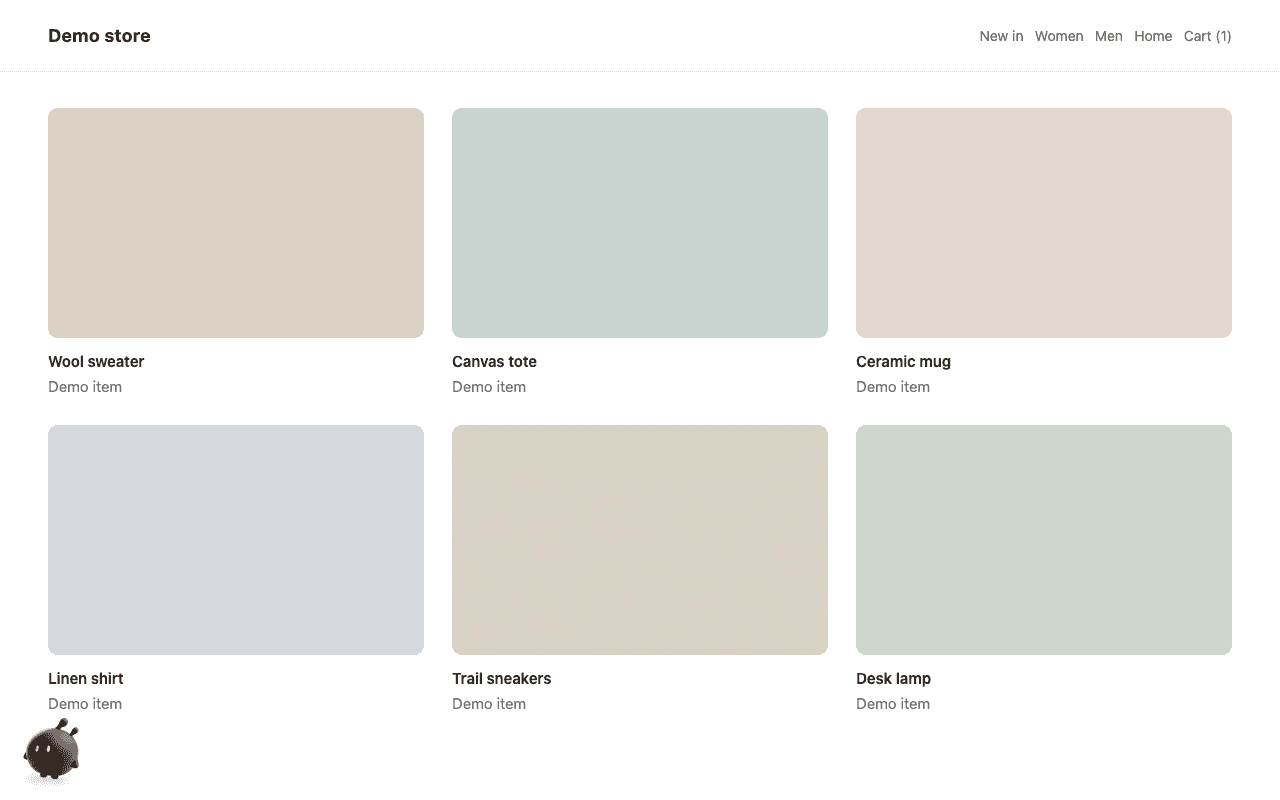
Griotta is a small creature that keeps you company on the stores you shop, and gives you a moment before money moves.
It sits quietly in a corner of the stores it covers. At checkout, it pauses with you for 30 seconds. Then you choose: walk away, plan it, or buy now.
Add to ChromeFree on the Chrome Web Store. For Google Chrome on a computer. Version 0.3.0.
How it works
In the corner
On the stores it covers, Griotta sits quietly in a corner. It blinks. It doesn't talk, and it doesn't watch what you browse. On your cart, it perks up a little.
At checkout
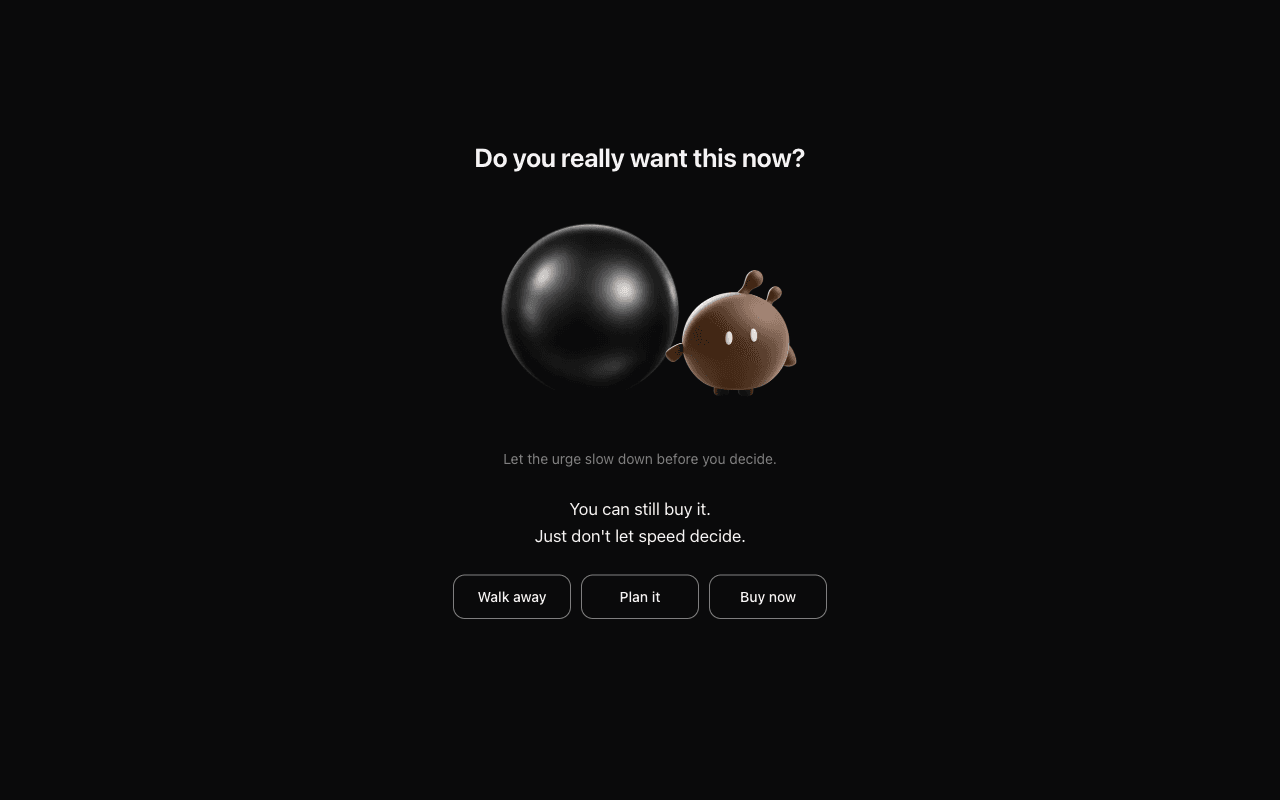
When you reach a checkout page, Griotta steps into a 30-second pause, its hand on a graphite sphere that breathes with it. “Do you really want this now?” The three choices open at the end of the 30 seconds.
Your choice
Walk away, plan it, or buy now: three equal choices, explained below.
Griotta pauses only at checkout pages. Not on a store's front page, product pages or cart, and not on the order confirmation after you pay. On sites that are not on the list below, it does nothing at all.
Walk away, Plan it, Buy now
- Walk away
- You leave the checkout. Griotta goes back one page, or to the store's front page if there is no page to go back to.
- Plan it
- Griotta keeps the store for later, in its menu in the toolbar: the store, the date and a way back to your cart, or to the store's front page if you did not come from the cart. Then you leave the checkout. It never keeps the checkout page, a product or a price.
- Buy now
- Griotta steps aside and the checkout is yours. It stays off that store's checkout pages for 20 minutes, so the pause does not repeat during the same purchase.
Each choice gets the same small reaction. Nothing celebrates, nothing sulks. Buying is not a failure.
Show, hide or move Griotta
- Click Griotta for its menu: hide it on this store, hide it on all stores, or move it to the other side.
- Drag it to either side of the window. It stays at the height you leave it.
- Its home is the Griotta button in Chrome's toolbar. Show it on stores again, see the sites you hid it on, and open or remove the stores you planned. If the button is not there, pin it from the Extensions menu, the puzzle piece next to the address bar.
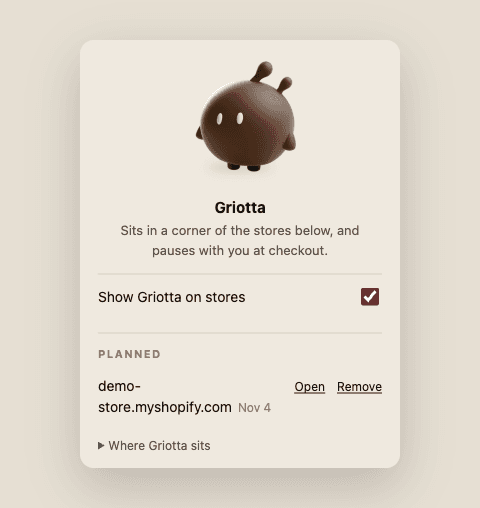
Hiding Griotta takes it out of the corner. The pause at checkout still happens. To stop the pause too, turn Griotta off in Chrome's extensions page, or remove it.
Where Griotta works
Version 0.3.0 covers these stores. It runs only on these addresses, and pauses only at their checkout pages. Its menu in the toolbar shows the same names, under Where Griotta sits.
AliExpress
aliexpress.com
Allbirds
allbirds.com
Amazon
amazon.com, amazon.co.uk, amazon.de, amazon.fr, amazon.it, amazon.es, amazon.ca
Apple
apple.com
ASOS
asos.com, secure.asos.com
Best Buy
bestbuy.com
eBay
pay.ebay.com, pay.ebay.co.uk, pay.ebay.de, pay.ebay.fr
Etsy
etsy.com
Fnac
fnac.com, secure.fnac.com
Gymshark
gymshark.com
H&M
hm.com
Nike
nike.com
Sephora
sephora.com, sephora.fr
Shopify stores on myshopify.com
myshopify.com
Target
target.com
Uniqlo
uniqlo.com
Walmart
walmart.com
Zalando
zalando.fr, zalando.de, zalando.co.uk, zalando.it, zalando.es, zalando.nl
Zara
zara.com
Stores that are not on this list are not covered in version 0.3.0.
Private by design
No account, no analytics, no requests to any server. Nothing you browse leaves your browser.
- What it reads. The address of the page you are on, only on the stores above, to recognise a cart or a checkout. When you choose Plan it, also the address of the page you came from, to know whether it was the store's cart. It never reads page content, forms or payment fields.
- What it keeps, in your browser. Your settings (shown or hidden, the sites you hid it on and where you placed it) and the stores you planned. For 20 minutes after Buy now, the store's address, held in memory and erased when the browser closes.
- What Chrome asks. When you add Griotta, Chrome asks for access to the stores above. Griotta uses it only to read the page address and to show itself.
Uninstalling Griotta deletes everything it kept. The details are in section 11 of our Privacy Policy.
Griotta for iPhone
Griotta also exists for iPhone, where it adds a short pause before the shopping apps you choose, so you can walk away, plan it, or buy now. Read how the Pause Layer works.
The iPhone app and the Chrome extension are separate. They don't share data or sync.
Get Griotta on iOSFree on the App Store. No bank connection.
Help
Griotta recognises a checkout by its web address. If it pauses at the wrong moment, or misses a checkout on one of the stores above, email support@griotta.com with the store's website. More answers on the support page.
To remove Griotta, right-click its button in the toolbar and choose Remove from Chrome, or remove it from Chrome's extensions page.
A moment before money moves
Griotta for Chrome
Add to ChromeFree on the Chrome Web Store. No account, no tracking.